Agency Portal
To sign up for the Agency Portal, please visit https://monocle-search.com/agency.
The Agency Portal gives independent designers and agencies one place to see and manage all the sites they have added to Monocle. The portal comes at no extra charge. Once you have signed up, you can start adding client sites right away.
The portal offers a few main features:
- easier management across multiple sites
- payment links you can send to clients
- revenue sharing
Site management
You can add sites to your portal by clicking the "Add Squarespace Site" button (highlighted in the image below with the number 1):
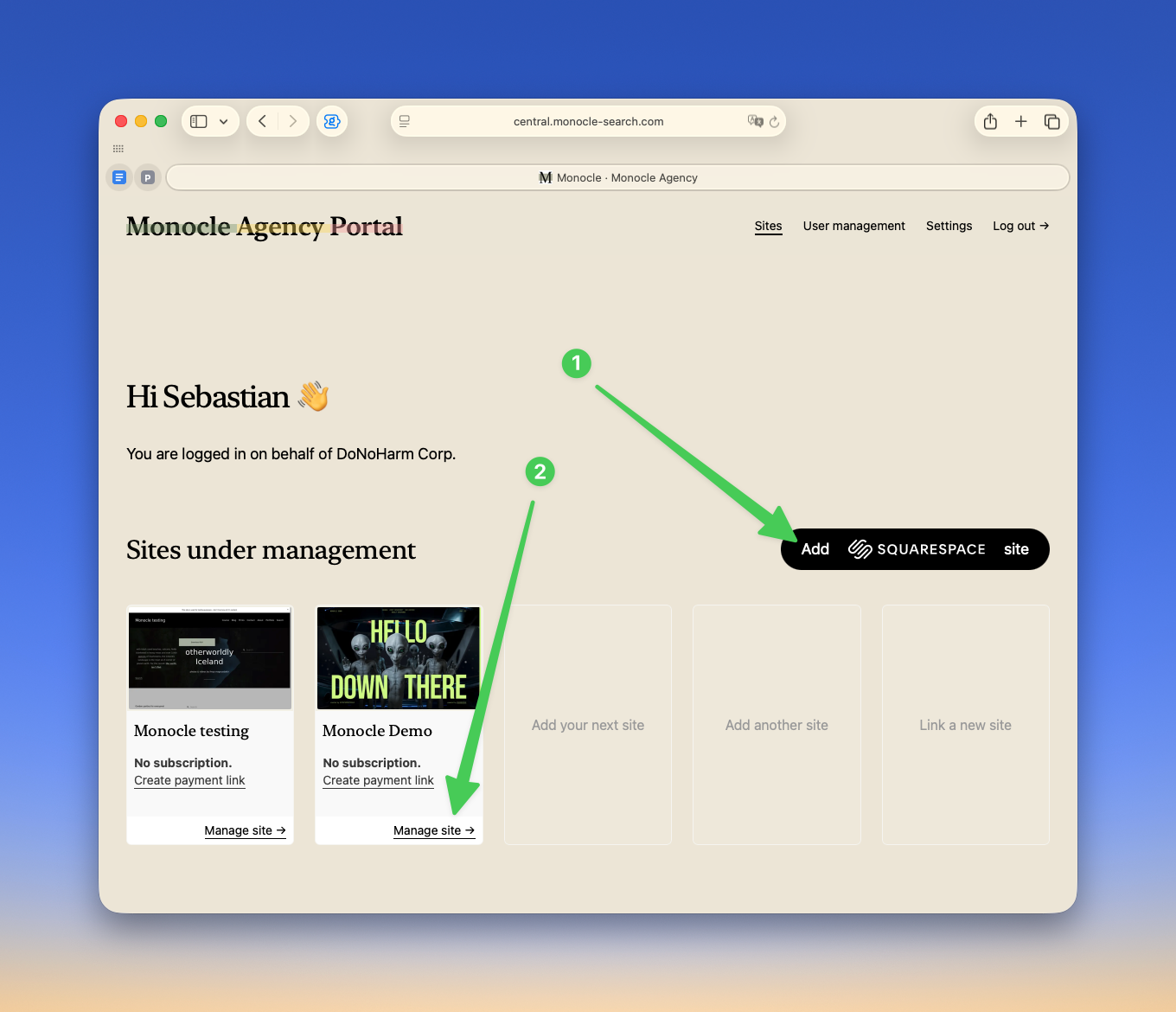
Once a site has been added, you can jump straight into the Monocle admin interface by clicking the "Manage site" link (highlighted in the image above with the number 2).
Once you are logged in to a site, you can switch between sites using the site switcher (highlighted in the image below with the number 1). This is particularly useful if you want to change the same setting across multiple sites.
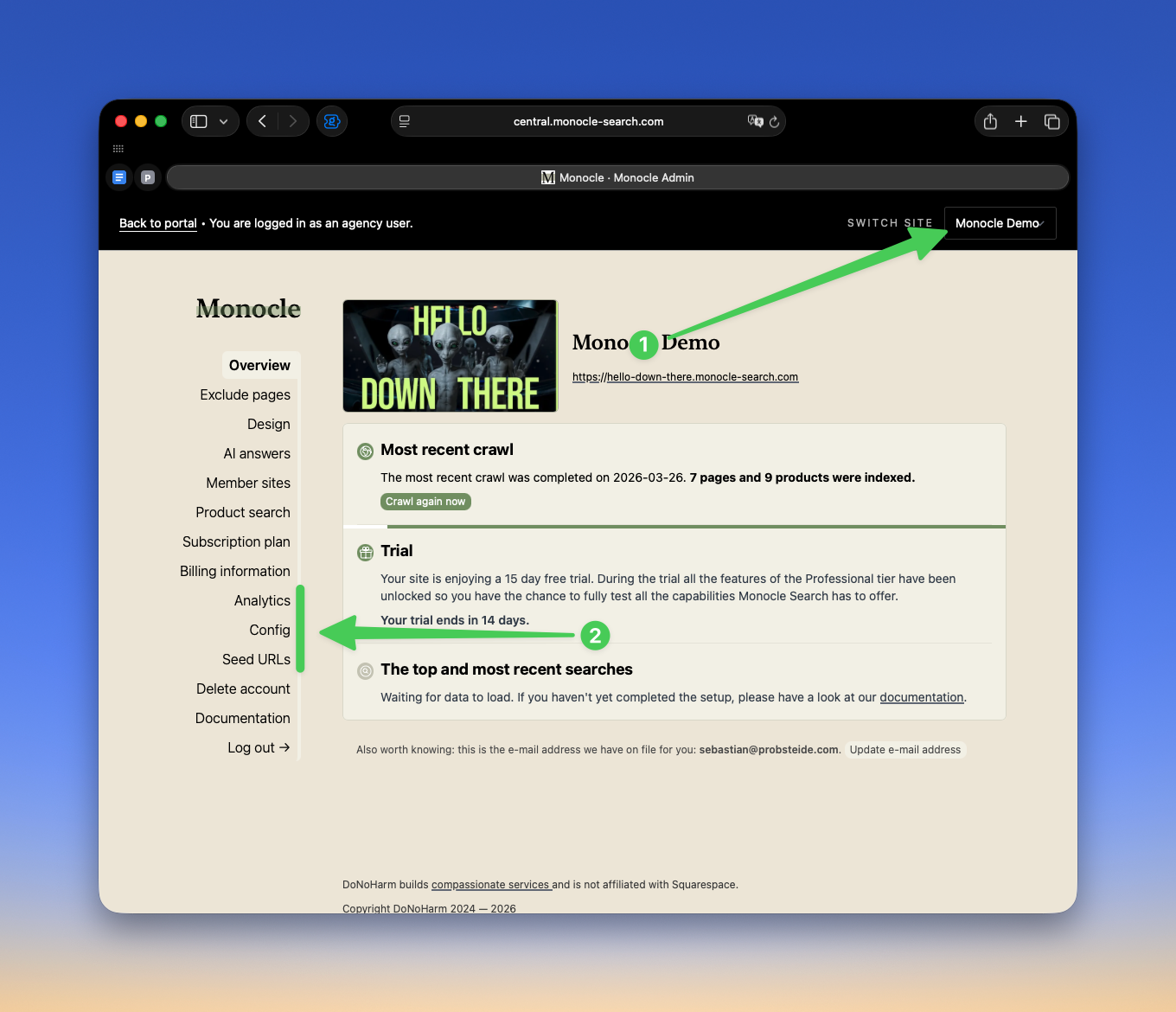
As an agency user, you also get a few additional power-user menu options (highlighted in the image above with the number 2):
The Analytics tab gives basic site analytics. In particular, it shows which pages visitors most frequently reach through search, as well as the most common search terms.
The Config tab lets you enable and disable various Monocle-specific settings, such as taking over Squarespace search blocks or replacing the native Squarespace search page.
The Seed URLs tab lets you include hidden pages in the search index. These pages do not have to appear in the sitemap or in the site's navigation, but they can still be indexed. For example, if you want PDFs to appear in search results but they do not have a natural home elsewhere on the site, you can create a PDF overview page and add its URL here.
Payment links
While your client can log in to the Monocle admin interface and add payment details for their subscription directly, the path is not especially straightforward. They first need access to the website in Squarespace so they can sign in through the OAuth flow, then they need to navigate to the correct page, and finally choose the right pricing tier.
You can simplify this whole process by sending your client a payment link instead.
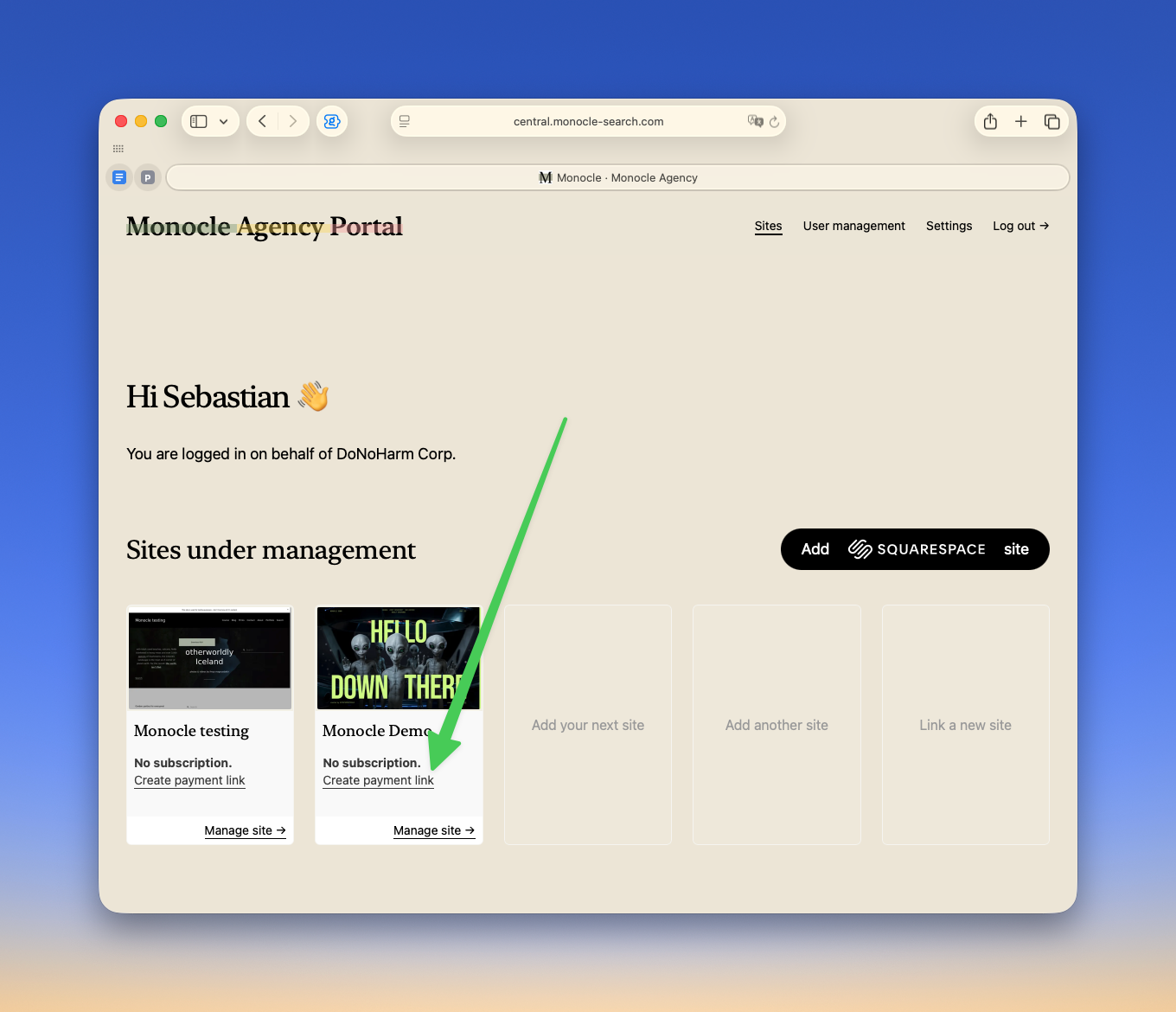
A payment link can be created by selecting "Create payment link" from the main overview page in the portal:
On the resulting page, you can select the billing cadence (monthly or yearly) as well as the plan that matches the features used on the site.
Please note the special agency plans. They differ from the regular plans by allowing the page to stay in trial mode until it goes live your. We use whether the site is still on a squarespace.com subdomain as the indicator for this.
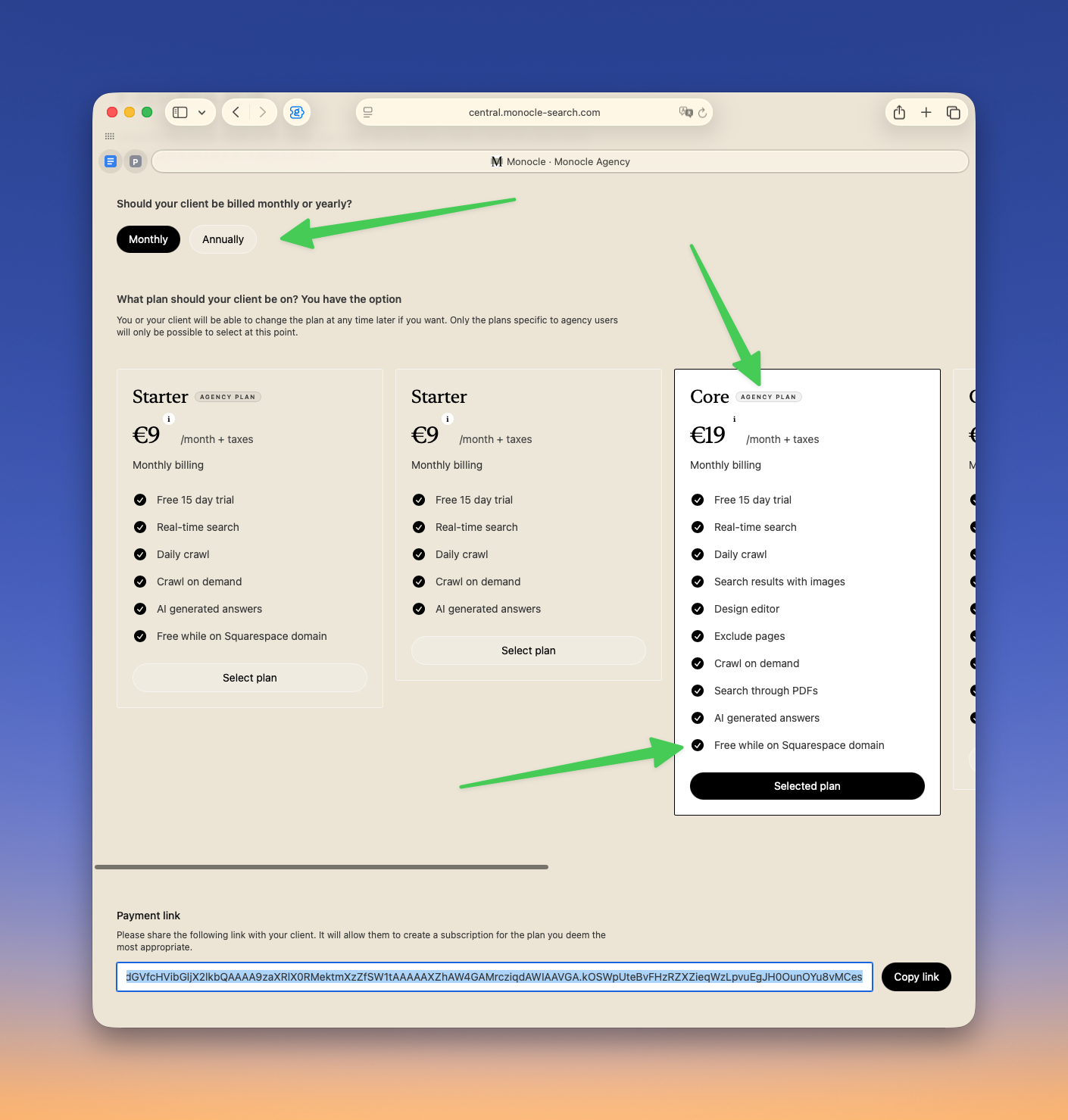
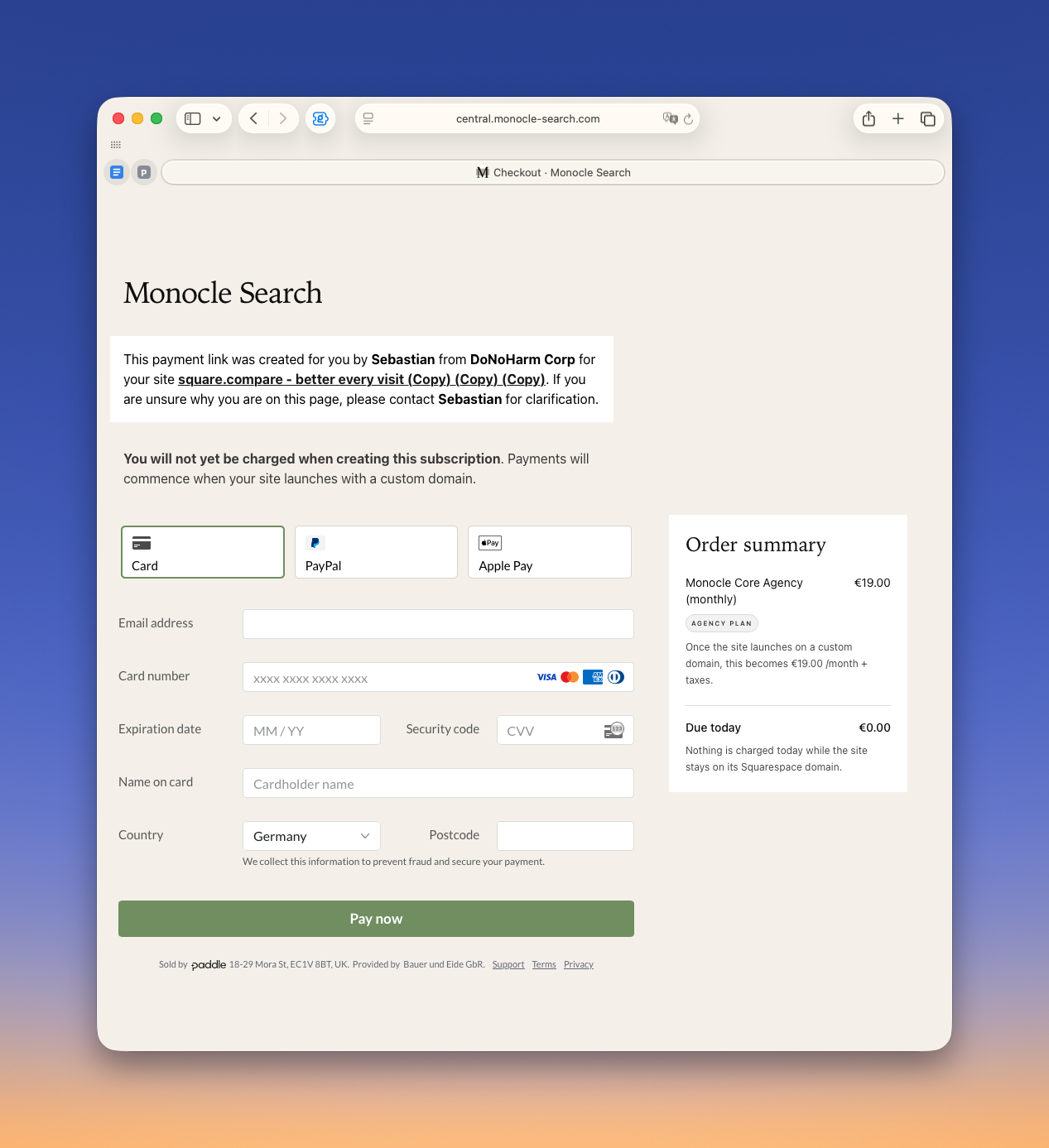
The payment link at the bottom of the page can be sent to your client. It lets them create a subscription without first creating a Monocle account. You will be notified by email once the subscription has been created.
The page your client will see looks something like this:
Revenue share
Agencies and independent designers have played a major part in Monocle's growth, and we are very grateful for that.
We think it is only fair that you should be able to benefit from that success as well, so we created an affiliate program for this purpose. If you are interested in participating, please let us know and we will be happy to help set you up.
Once you are part of the program, you can add your affiliate code to the agency portal. Any payment link you send to clients will then associate the subscription with your account, and your revenue share will be tracked accordingly.
If you have feedback on our service, ideas for making Monocle easier to use or recommend to clients, or suggestions for agency portal features, please contact us at hello@monocle-search.com.