Agencies and designers
Hand over a client site
If you regularly add Monocle to client sites, also read the Agency Portal introduction.
Include access to the Monocle Search admin interface when you hand a site over to a client.
When possible, add Monocle through the Squarespace OAuth flow instead of using an account with an email address and password. To use the OAuth flow, select Add to Squarespace:

This flow associates the Monocle account with the site, not with one person. When your client gets access to the site in Squarespace, they can also sign in to the Monocle admin interface.
Accounts that use email and password
If the Monocle account uses an email address and password, change the account email address to one that belongs to your client:
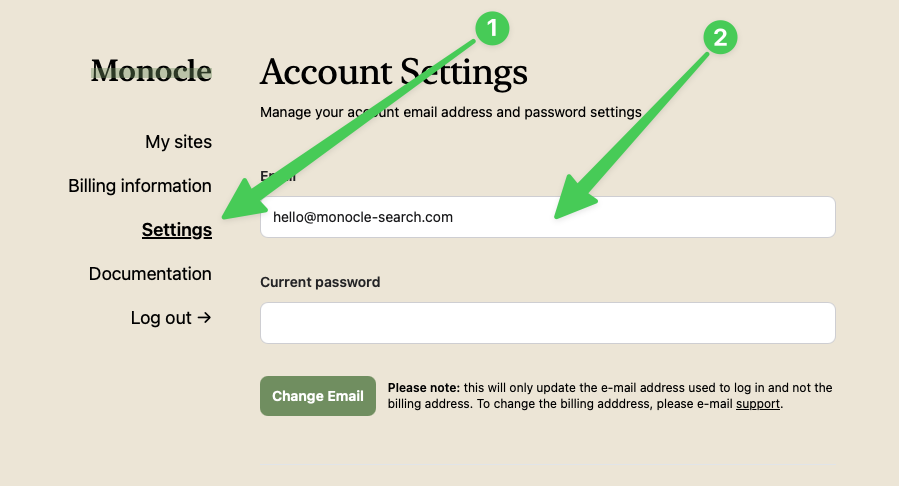
Your client can then reset the password and access the account.
If the site has a subscription, invoices continue to go to the original billing email address. Contact support to update the billing address.
When possible, set up the account again with the Squarespace OAuth flow. First, delete the site from the account that uses email and password. Then remove the Monocle Search script from Code Injection.