Agencies and designers
Agency Portal
Sign up for the Agency Portal at monocle-search.com/agency.
The Agency Portal gives designers and agencies one place to manage their Monocle sites. There is no extra charge for the portal.
After you sign up, you can add client sites.
The portal supports:
- easier management across multiple sites
- payment links you can send to clients
- revenue sharing
Site management
Select Add Squarespace Site to add a site to the portal. The number 1 in the image shows this button:
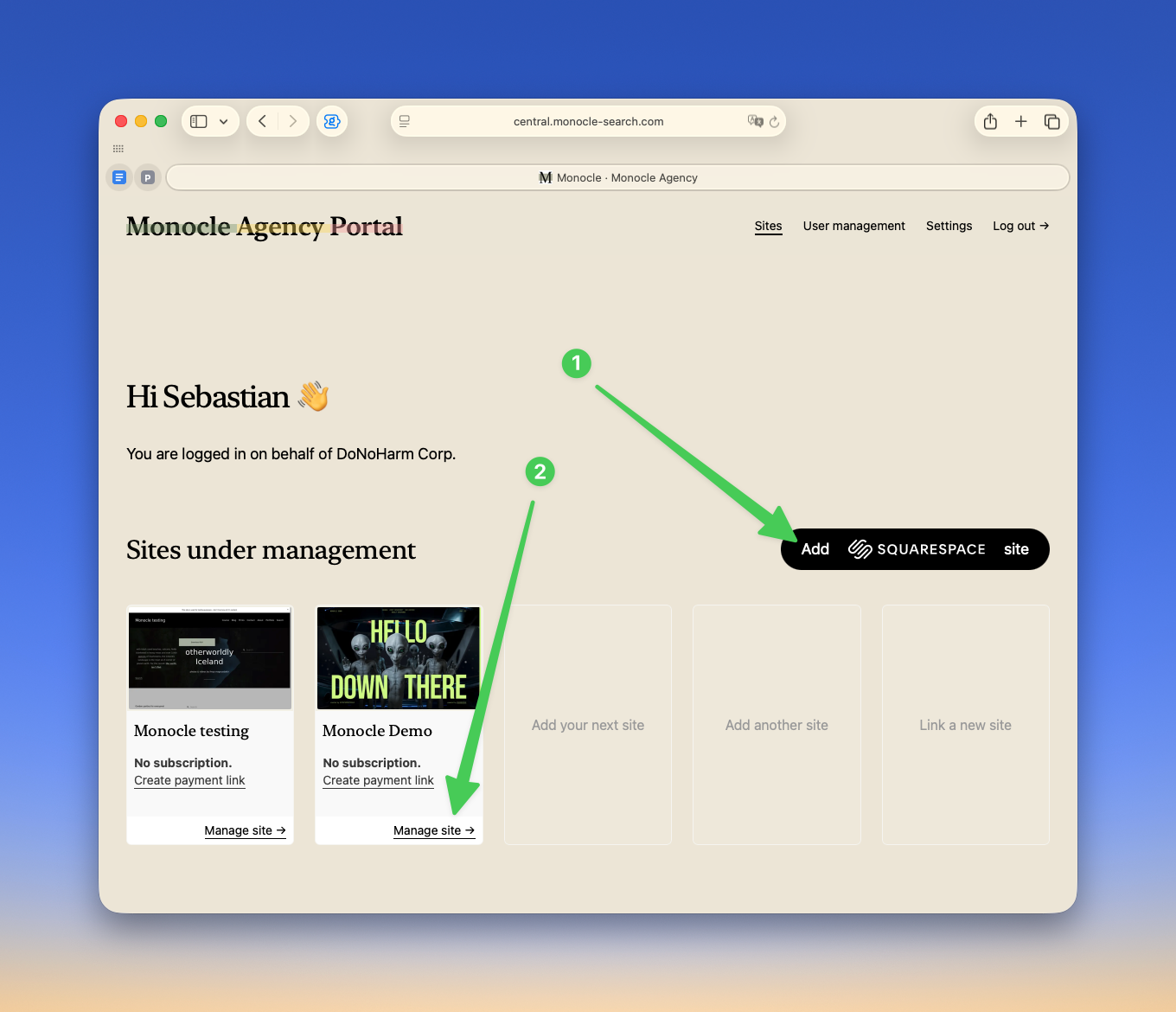
Select Manage site to open the Monocle admin interface. The number 2 in the image shows this link.
Use the site switcher to move between sites. You can use it to change the same setting on several sites.
Analytics shows site analytics. It includes the pages that visitors most often reach through search and the most common search terms.
Open Advanced settings under Site settings to change Monocle settings. For example, you can enable or disable support for Squarespace search blocks and the native Squarespace search page.
Open Additional URLs under Content to add pages for the crawler to visit. These pages do not need to be in the sitemap or site navigation. For example, create a PDF overview page, then add its URL.
Payment links
Your client can add payment details in the Monocle admin interface. Before they can do this, they need access to the site in Squarespace, and they must sign in through OAuth. They must then open the subscription page and choose a plan.
A payment link provides a shorter process.
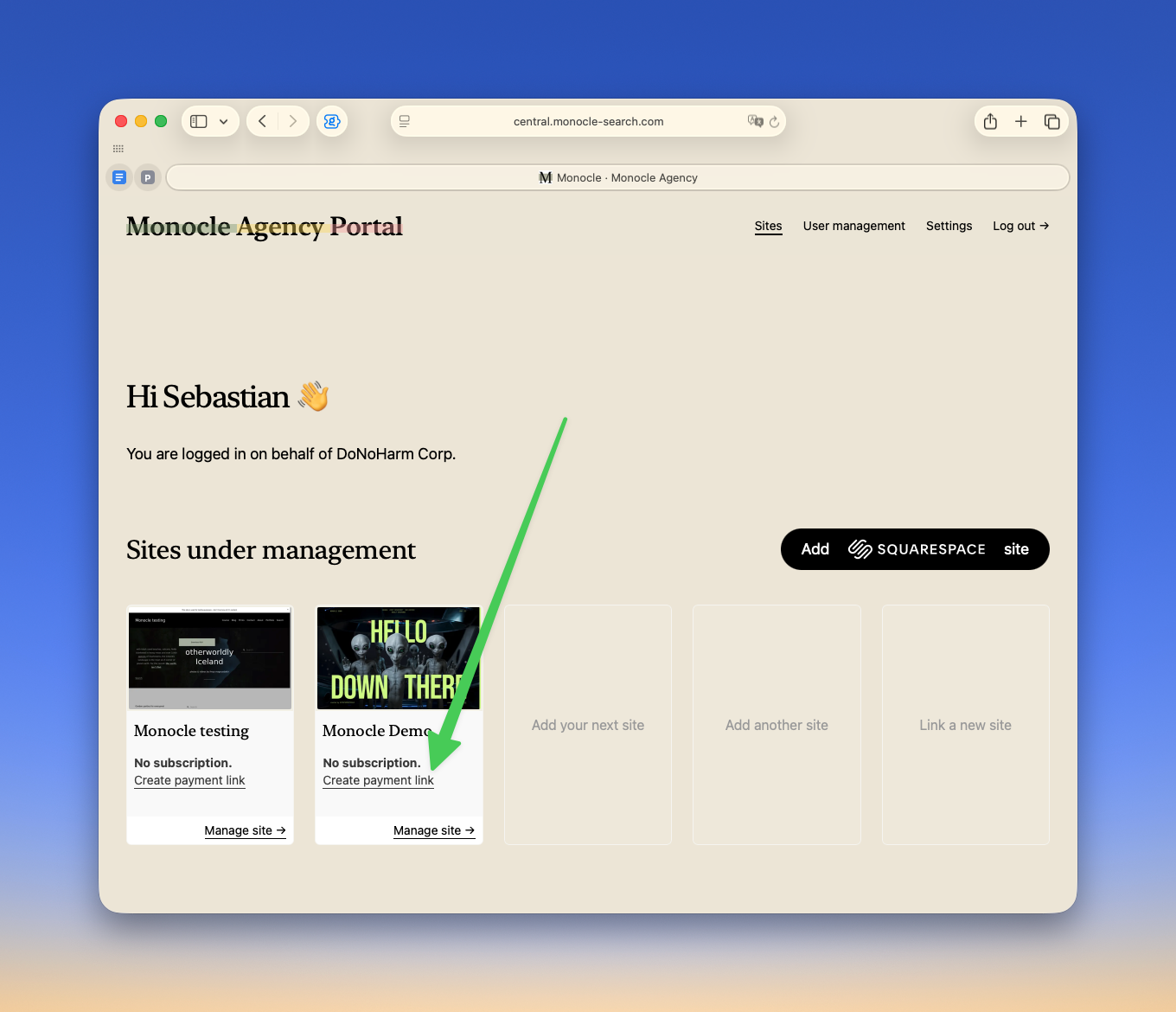
Select Create payment link on the portal overview page:
Select a monthly or yearly billing period. Then select the plan that contains the features used on the site.
Agency plans keep the site in trial mode until it goes live. Monocle treats a site on a squarespace.com subdomain as a trial site.
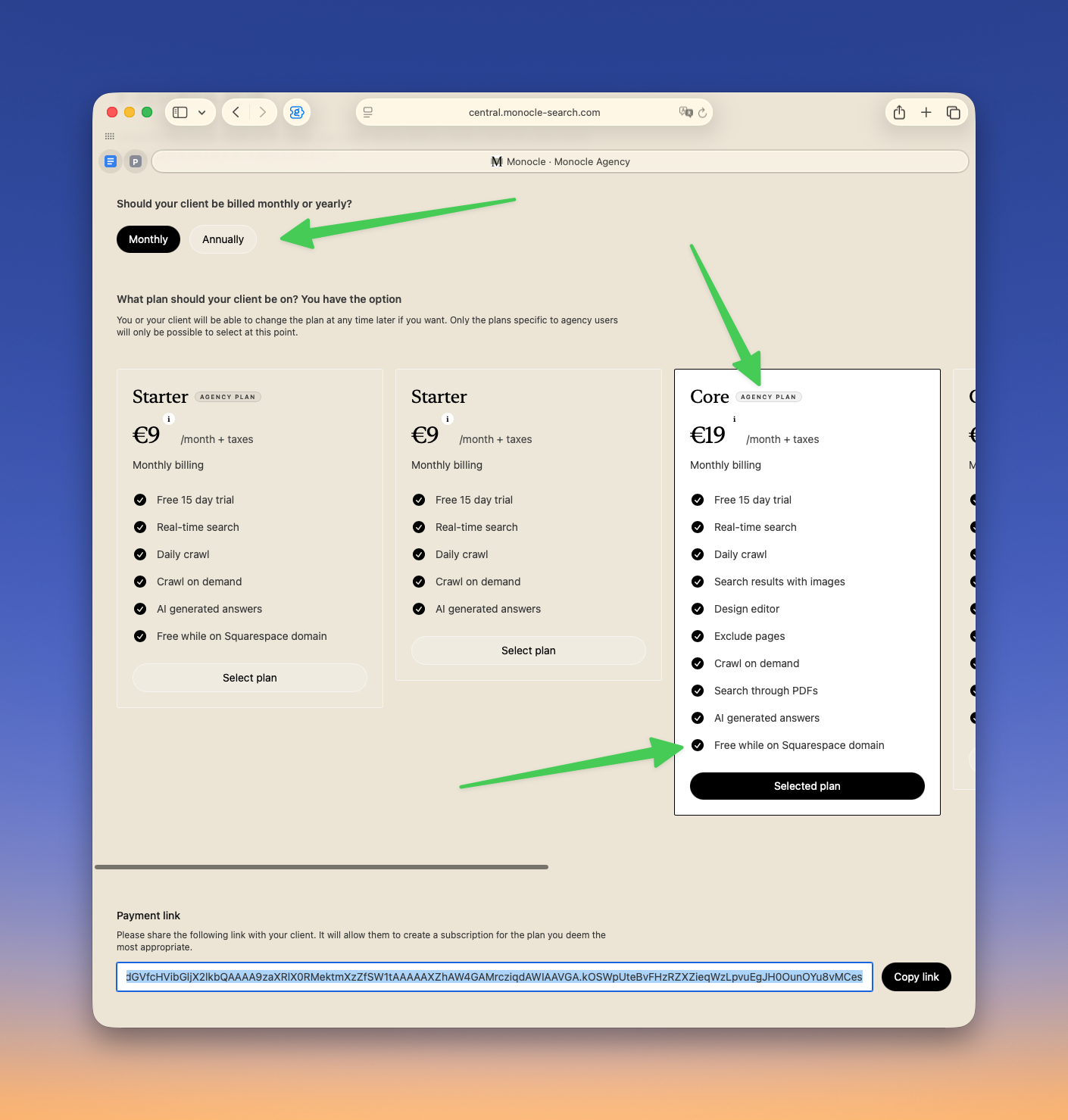
Send the payment link at the bottom of the page to your client. The link lets the client subscribe without first creating a Monocle account. Monocle sends you an email after the client subscribes.
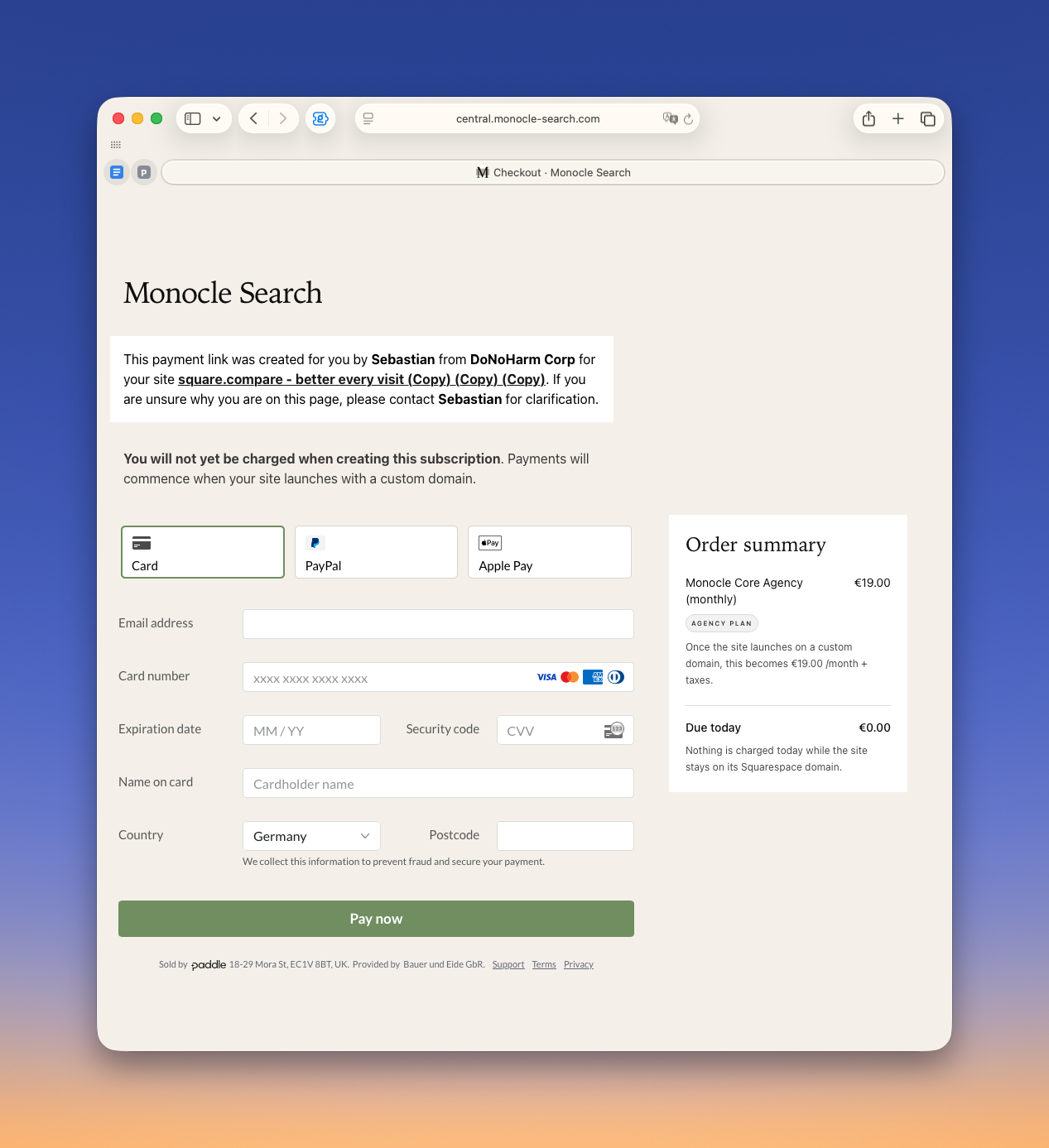
The client sees this page:
Revenue share
Contact us if you want to join the affiliate programme.
After you join, add your affiliate code to the Agency Portal. Payment links then associate subscriptions with your account so that Monocle can track your revenue share.
Send feedback, suggestions, or feature requests to hello@monocle-search.com.